
SparkVault for Salesforce
Bring protected client, deal and case files into the Salesforce records your team already uses. Files stay encrypted in a Vault you control, with a native Lightning panel for everyday work.
File storage uses paid plans. Connecting Salesforce is free.
Already signed up? An admin connects Salesforce in the console
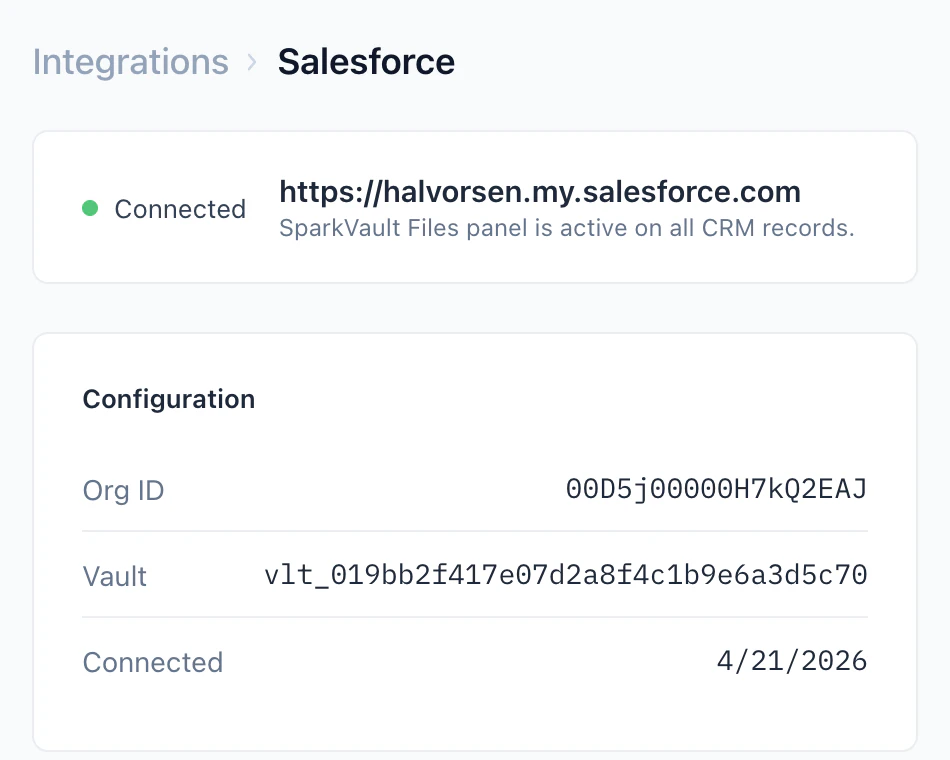
Connect your org to a Vault
In your Salesforce org
- Install the SparkVault package in your Salesforce org or sandbox.
- Give your team permission to use SparkVault Files.
- Add the panel to your Account, Contact, Opportunity and Case pages.
In SparkVault
A SparkVault admin connects your org and chooses the Vault, signing in to Salesforce as an admin who can manage named credentials. SparkVault keeps no Salesforce access or refresh tokens.
Each person works as their own Salesforce user, through a credential only your org holds, and Salesforce checks they can see the record they are viewing.
SparkVault for Salesforce is built and supported by SparkVault. Contact support
Protected files, beside the record
Add files in the record’s SparkVault folder, then find and download them from Salesforce. Transfers run between your browser and SparkVault; Salesforce holds no copy of the file.
Each person unseals the Vault for their own session. Unsealing passes the key through Salesforce; the integration discards it afterwards. One person’s session never opens the Vault for everyone else.
Each record shows its own files. Requests to download or delete another record’s files are refused.
Every file is protected by SparkVault’s three-key encryption.1
- The Forge encrypts with AES-256-GCM Forge API reference: security details; Security architecture: authenticated encryption schemes; NIST SP 800-38D, the GCM standard. ↩
CRM files
├─ Accounts/
│  └─ 001Hs00001kPzWqIAK/
│     ├─ signed-msa.pdf
│     └─ security-review.pdf
├─ Contacts/
│  └─ 003Hs00000rT7bQIAS/
│     └─ id-verification.pdf
└─ Cases/
   └─ 500Hs00001Zx8RtIAJ/
      └─ export.csv
Keep your Salesforce files in a Vault
Create your account, choose a storage plan and connect your Salesforce org. Your team can then work with protected files from the records they already use.
Already signed up? An admin connects Salesforce in the console