
This message will self-destruct after one read.
Paste a password, an API key or any secret into a Spark and send the x.sv link wherever your recipient is. The first read returns the secret and destroys it. Sparks are free on every SparkVault account, forever, unmetered, with no credit card.
What you send: https://x.sv/k7Qm2pXa9LwTr4cNvB8sYe
From paste to ash in four steps
-
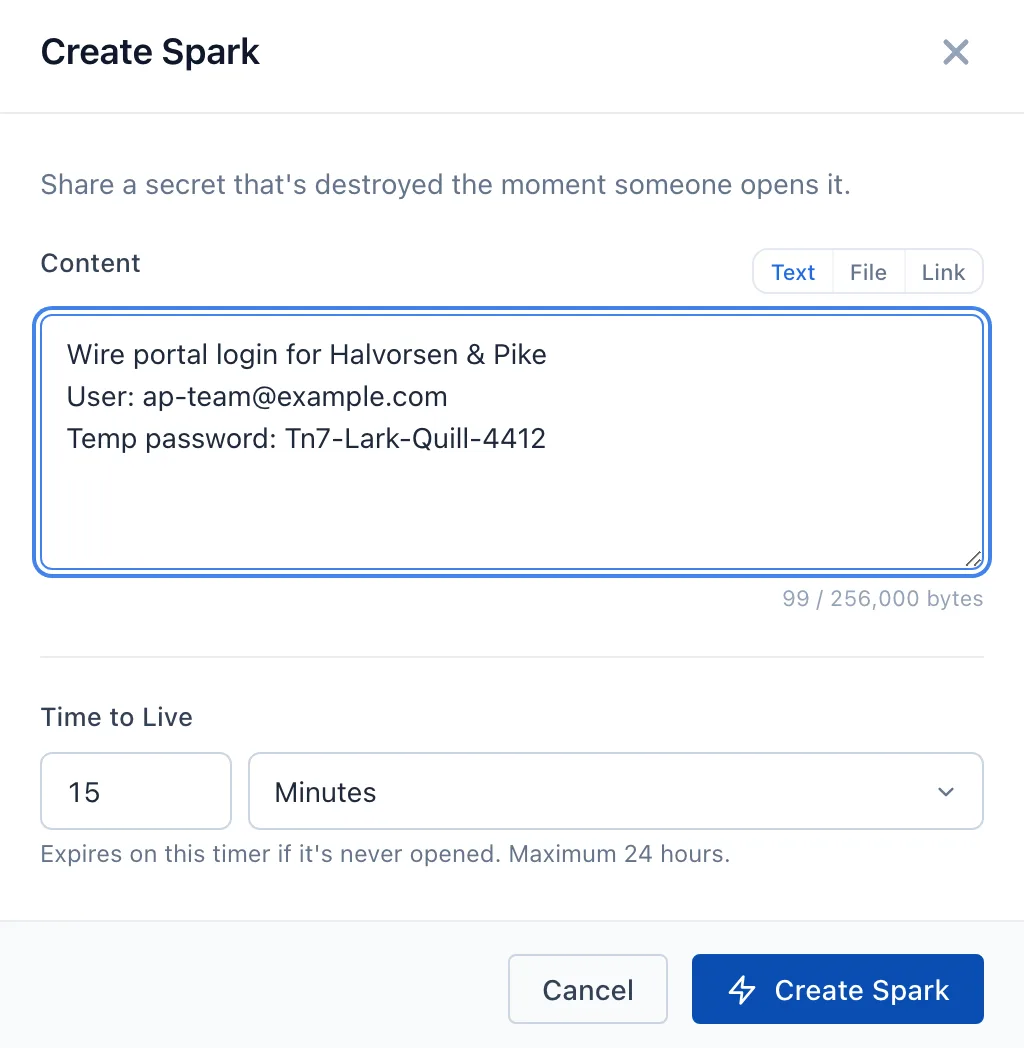
Paste the secret and set a lifetime
A Spark holds up to 256,000 bytes of text or a file. It lives from 1 minute to 24 hours, and an unread Spark expires when its time runs out.
-
Send the x.sv link
Share the Spark and you get a short
x.svlink. Paste it into whatever you already use to talk to the recipient. -
They open it and press View Spark
Opening the link loads a page that waits for a click, and the secret is fetched only by that click. A link scanner that only loads the page does not use the Spark up.
-
It burns
The read returns the secret and destroys the Spark. Anyone who opens the link afterwards sees "This link is no longer available."
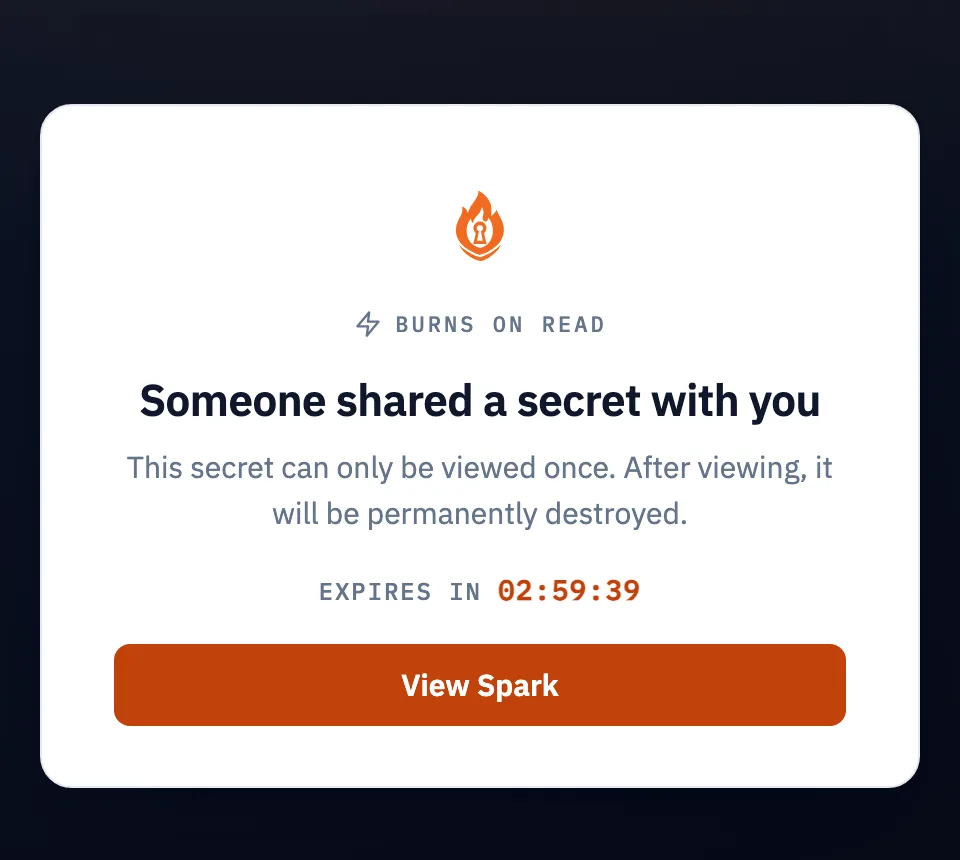
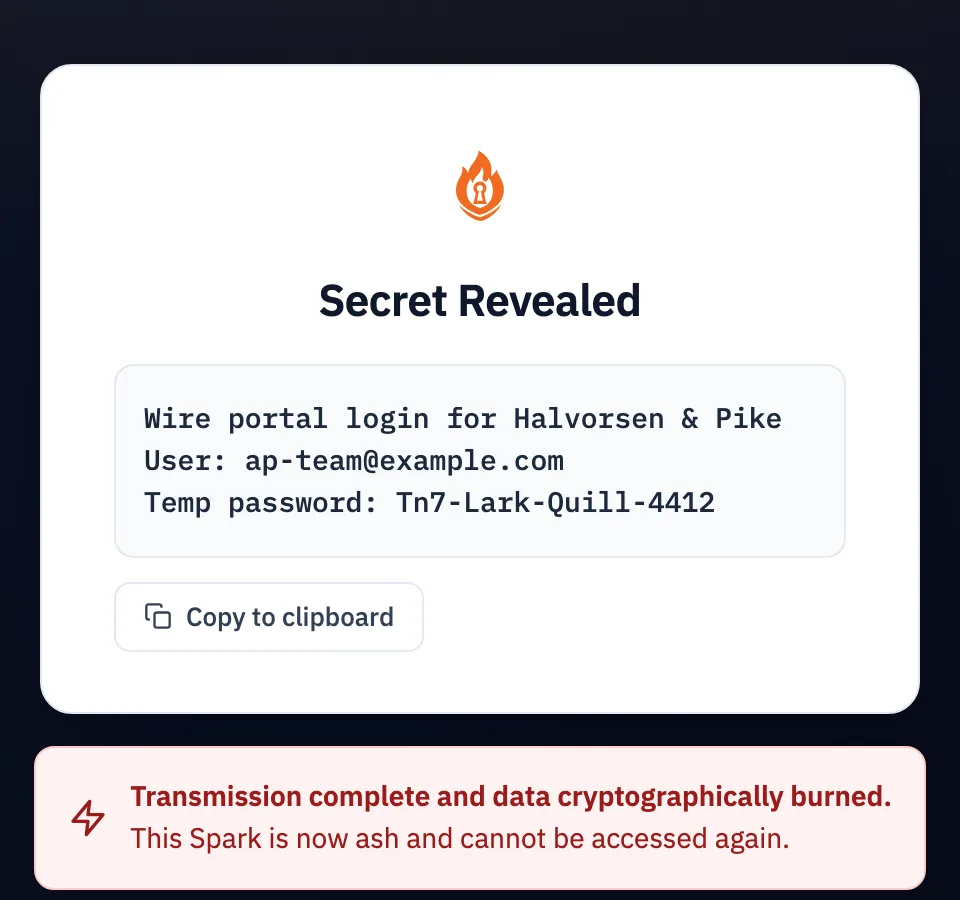
The states a Spark moves through
active- Created and unread. The link works.
ash- Read and destroyed. The secret cannot be retrieved again.
expired- The lifetime ran out before anyone read it.
Two keys, and the burn comes first
Decrypting a Spark takes two keys. SparkVault holds one; the other is your account's own key, kept inside a FIPS 140-3 validated key management service run by a separate company. Sealing or opening a Spark takes both.
Read the security architecture- SparkVault Master Key (SVMK)
- A post-quantum ML-KEM-1024 keypair, retrieved at runtime from a hardened managed secret store.
- Account Master Key (AMK)
- Your account's own HMAC key, kept in a FIPS 140-3 validated key management service. The key itself never leaves it.
- Sealing
- Each Spark gets its own key, derived with HKDF from both keys' output, and the payload is sealed with AES-256-GCM. With full database access, SparkVault still cannot decrypt a Spark without combining the two.
- Burn before return
- The encrypted data is deleted from storage before the plaintext is returned. If the deletion fails, the plaintext is withheld and the request fails with
500 SPARK_BURN_FAILED. - One read
- A second reader gets
409while a read is in flight, and403once the Spark has burned or expired. Only an ID that never existed returns404. - Link Sparks
- A Spark can hold a single http or https URL, sealed at rest, that burns on first open. Pass
bound_ipto bind its x.sv link to one IP address. - Kindling
- Group related Sparks under one
kdl_ID. Whoever holds that ID can read the Sparks in the group, so treat it like a secret.
Where you can send one
A Spark is the same Spark wherever it starts: create it in the console, from Slack, or with one request from your own code.
The console
Create a Spark in the SparkVault console, then share it to get its x.sv link.
Slack
Type /secret or /share_secret, choose the recipient and an expiration from 1 minute to 24 hours, and select Send Securely. The recipient confirms before the secret opens.
A Slack secret belongs to the Slack integration. It opens only from its notification in Slack, never through an x.sv link.
Read about SparkVault for SlackThe API
Two requests: create the Spark, then share it. The share response carries the x.sv link.
Read the Sparks API referenceCreate a Spark, then share it.
curl https://api.sparkvault.com/v1/sparks \
  -H "X-API-Key: $SPARKVAULT_API_KEY" \
  -H "Content-Type: application/json" \
  -d '{"payload": "super_secret_password_123", "ttl_minutes": 60}'

{
  "data": {
    "spark_id": "spk_abc123def456...",
    "size_bytes": 25,
    "status": "active",
    "expires_at": 1702003600,
    "ttl_minutes": 60
  }
}

curl -X PATCH https://api.sparkvault.com/v1/sparks/spk_abc123def456.../share \
  -H "X-API-Key: $SPARKVAULT_API_KEY" \
  -H "Content-Type: application/json" \
  -d '{"visibility": "public"}'

{
  "data": {
    "shared": true,
    "share_url": "https://x.sv/abc123...",
    "visibility": "public",
    "status": "active"
  }
}
What a burn does not do
Burning destroys the Spark inside SparkVault. It does not erase a copy the recipient pastes elsewhere, a screenshot, or anything Slack processes when a secret is shown there.
For a secret that has to stay out of Slack, create the Spark in SparkVault and send the x.sv link.
What it costs: nothing
See the pricingSparks are free on every plan, forever. You can send as many as you like, unmetered, on every SparkVault account with no credit card. They draw on no storage or bandwidth pool and carry no per-operation charge, including the Sparks you send from Slack.
Send your first Spark
Create an account, paste a secret and share the link. It burns the moment it is read.